资源
kubernetes系统的 api server基于http/https接收并响应客户端的操作请求,它提供了一种基于资源的RESTful风格的编程结构,将集群的各种组件都抽象成为标准的REST资源,如Node、Namespace和Pod等,并支持通过标准的HTTP方法以JSON为数据序列化方案进行资源管理操作。
kubernetes系统将一切事物都抽象为API资源。资源实例化之后,叫做对象。
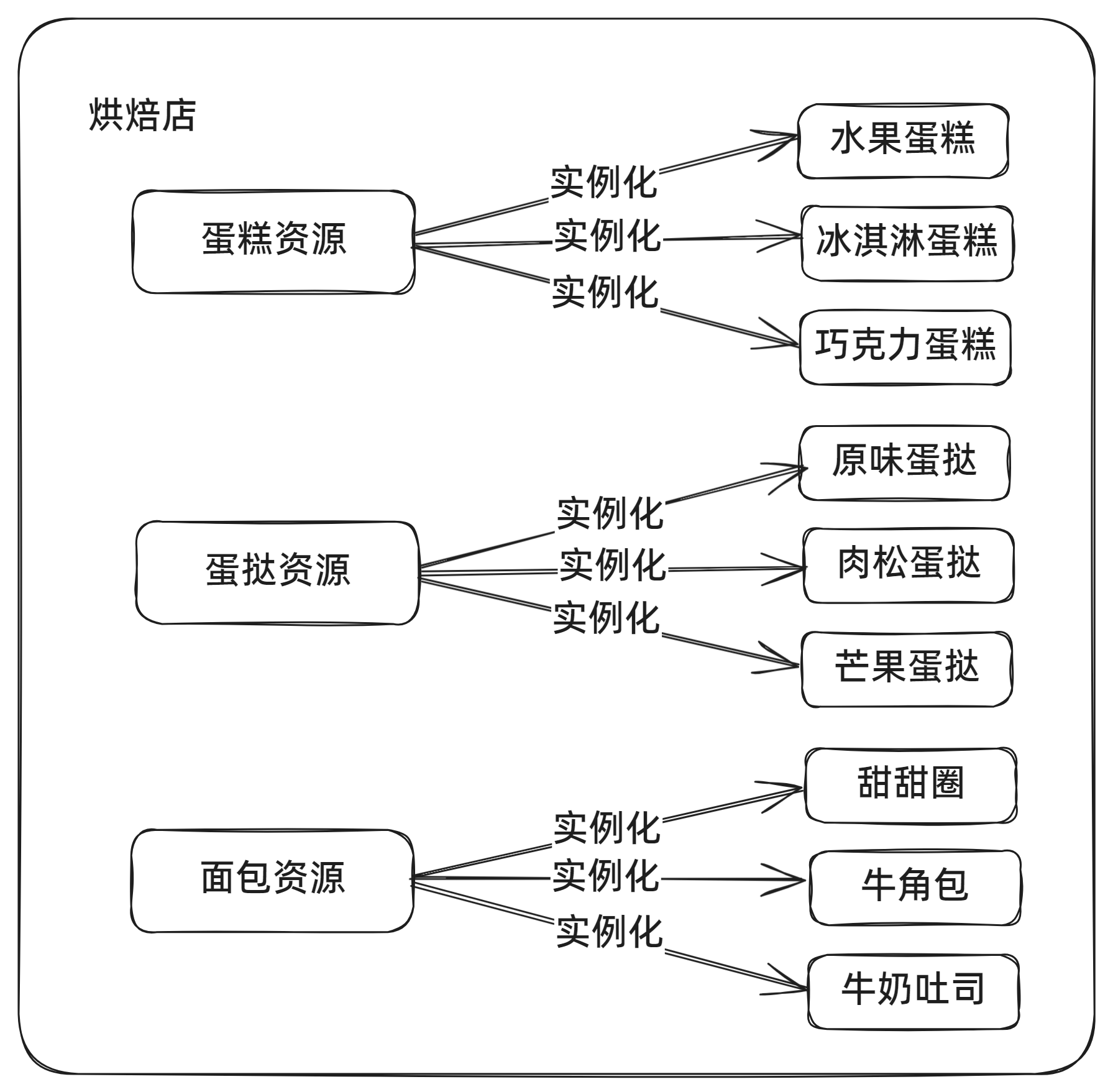
资源类别
名称空间级别
- 工作负载型资源:Pod、ReplicaSet、Deployment...
- 服务发现及负载均衡型资源:Service、Ingress...
- 配置与存储型资源:Volume、CSI...
- 特殊类型的存储卷:ConfigMap、Secre...
集群级资源(与集群相关的资源)
- Namespace、Node、ClusterRole、ClusterRoleBinding
元数据型资源(为集群内部的其他资源配置其行为或特性)
- HPA、PodTemplate、LimitRange
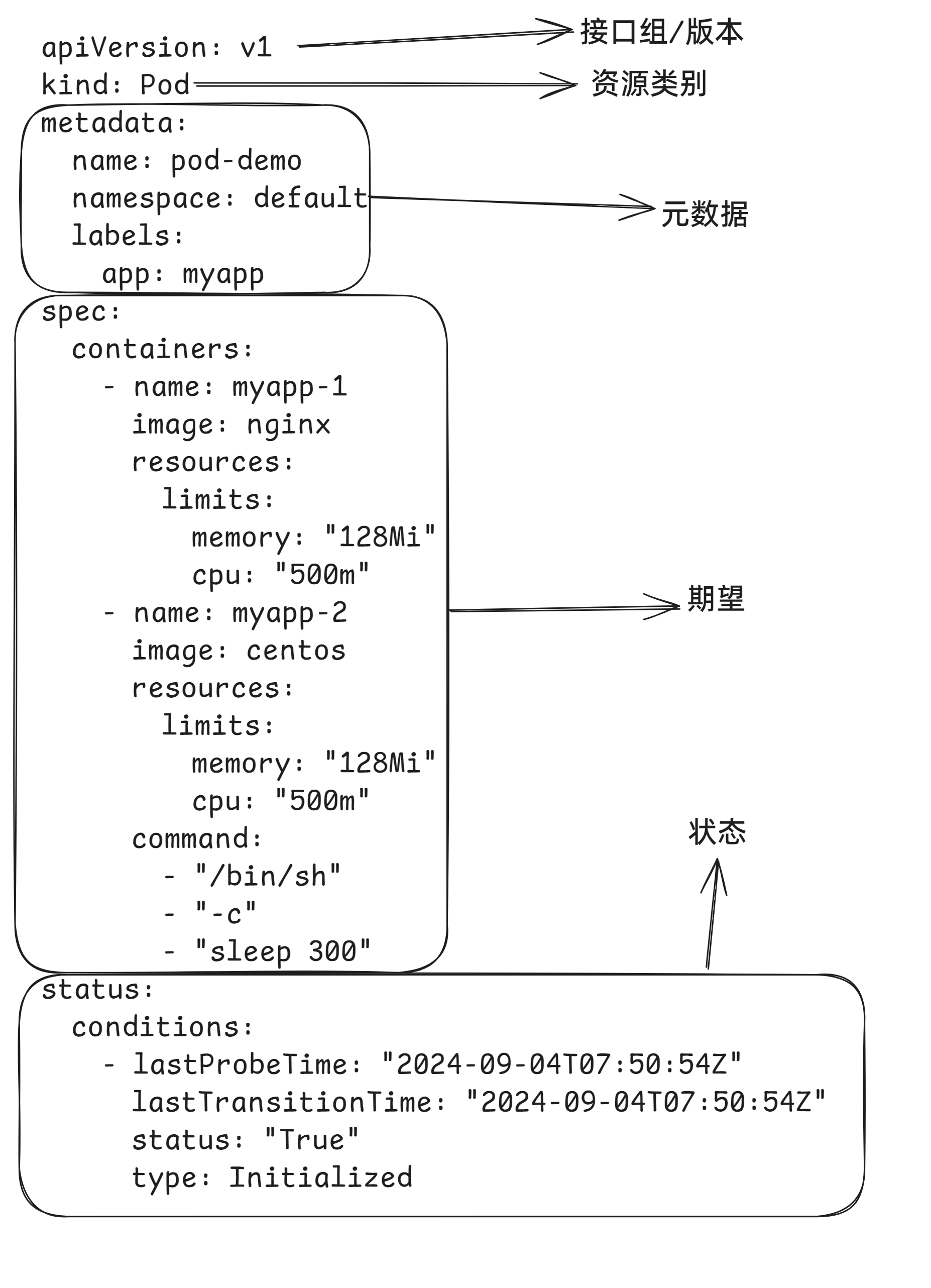
资源清单编写
apiVersion: v1
kind: Pod
metadata:
  name: pod-demo
  namespace: default
  labels:
    app: myapp
spec:
  containers:
    - name: myapp-1
      image: nginx
      resources:
        limits:
          memory: "128Mi"
          cpu: "500m"
    - name: myapp-2
      image: centos
      resources:
        limits:
          memory: "128Mi"
          cpu: "500m"
      command:
        - "/bin/sh"
        - "-c"
        - "sleep 300"
status:
  conditions:
    - lastProbeTime: "2024-09-04T07:50:54Z"
      lastTransitionTime: "2024-09-04T07:50:54Z"
      status: "True"
      type: Initialized
每个组成部分如下
查询对象属性
$ kubectl explain pod.spec.containers
KIND:       Pod
VERSION:    v1

FIELD: containers <[]Container>

DESCRIPTION:
    List of containers belonging to the pod. Containers cannot currently be
    added or removed. There must be at least one container in a Pod. Cannot be
    updated.
    A single application container that you want to run within a pod.
...
kubectl的部分命令
# 获取当前的资源,pod
$ kubectl get pod
    -A,--all-namespaces 查看当前所有名称空间的资源
    -n  指定名称空间,默认值 default,kube-system 空间存放是当前组件资源
    --show-labels  查看当前的标签
    -l  筛选资源,key、key=value
    -o wide  详细信息包括 IP、    分配的节点
    -w  监视,打印当前的资源对象的变化部分

# 进入 Pod 内部的容器执行命令
$ kubectl exec -it podName -c cName -- command
    -c  可以省略,默认进入唯一的容器内部

# 查看资源的描述
$ kubectl explain pod.spec

# 查看 pod 内部容器的 日志
$ kubectl logs podName -c cName

# 查看资源对象的详细描述
$ kubectl describe pod podName

# 删除资源对象
$ kubectl delete kindName objName
    --all 删除当前所有的资源对象